-->
Get Every Single Discord Badge on Your Discord Account: Complete Guide

Get Every Single Discord Badge on Your Discord Account: Complete Guide

Hey readers, In this blog guide article of GHOULx, we will discuss on How to Get Every Single Discord Badge on Your Discord Account in 2025. This guide article will completely guide you over the Discord Badges, How to get them, and whether they are achievable in 2025 or not. Discord badges are like trophies for your digital self. They’re tiny icons on your profile that scream, "Look at my achievements!" Whether you're a gamer, developer, or community enthusiast, collecting all Discord badges can set your profile apart. Let’s dive into how you can get every single badge Discord offers in 2025! 


First, What are Discord Badges? and Why does Discord Badges even matter?

Discord badges are small, decorative icons that appear on user profiles. These icons represent various achievements, affiliations, or roles in the Discord community. Think of them as rewards for contributing, subscribing, or being an active participant. 

Besides looking cool, badges show that you're more than just a casual user. They indicate your commitment to the community, your technical skills, or even your ability to sniff out bugs in the platform. Plus, they can make you stand out in servers with thousands of users.

Types of Discord Badges

Profile Badges & Server Badges
  • Profile Badges: These badges are visible on your personal profile and travel with you across servers.
  • Server Badges: These are exclusive to specific servers and don’t appear on your global profile.

Earnable Badges & Exclusive Badges
  • Earnable Badges: These can be obtained through specific actions, like joining HypeSquad or becoming a Nitro subscriber.
  • Exclusive Badges: These are reserved for legacy members or those who meet niche criteria, like the Early Supporter badge.

Step-by-Step Guide to Getting Discord Badges

1. HypeSquad Badges

HypeSquad is Discord's community-driven program that lets you join a “house” (Bravery, Brilliance, or Balance) or participate in events as an ambassador. If you want to learn more about HypeSquad Badges, you can read the HypeSquad House Breakdown from Discord.

How to Join HypeSquad Events and Houses
  • Head to User Settings > HypeSquad.
  • Complete the short quiz to determine your house.
  • After completing the short quiz, you will be assigned to the House of Bravery, the House of Brilliance, or the House of Balance. You can also click on your profile to take a look at your new HypeSquad House badge.
HypeSquad House Breakdown

2. Discord Nitro Badge
Subscription Requirements
Discord Nitro Badge

This badge is awarded to active Nitro subscribers. Discord Nitro offers perks like HD streaming, custom emojis, and enhanced profile customizations. Anyone subscribed to Nitro, Nitro Classic, or Nitro Basic will have the Discord Nitro badge reflected on their profile.By hovering over this badge, the subscription date will appear to let others know how long they’ve been subscribed. If you see other Discord users sending custom emojis and stickers, they are typically holders of the Discord Nitro Badge. Learn more about perks offered through Discord Nitro here.If you see other Discord users sending custom emojis and stickers, they are typically holders of the Discord Nitro Badge. Learn more about perks offered through Discord Nitro here.

How to Activate the Nitro Badge
  • Subscribe to Discord Nitro through Settings > Subscriptions.
  • Your badge automatically appears on your profile.

Server Boosting Badge: This pink badge represents a user who directly supports one of their favorite servers through Server Boosting. By hovering over the Server Booster badge, you’ll see how long they’ve boosted servers. If an individual continues server boosting without any pause, the badge will evolve and the design will change over time. but If you stop boosting servers, or you are no longer boosting any servers at any time, your boosting streak and badge will reset to the first level! If you have multiple boosted servers, the badge will always be whichever is your longest Server Boost streak (or the longest milestone of time achieved for your Server Boost). 

3. Bug Hunter Badge
Bug Hunter badge is awarded to the most hard-working of those in the Bug Hunter community. There’s even a Golden Bug Hunter badge for those who reach the highest hunter level by going above and beyond! Those interested in earning this badge will have to actively participate in the Discord Testers community. You can learn more about Discord Testers Program and Bugs report here.


How to Become a Bug Hunter
  • Join the Discord Testers Server.
  • Report valid bugs through the designated channels.
Tips to Earn the Badge Quickly
  • Focus on less-reported bugs for higher chances of validation.
  • Engage actively in the tester community to build credibility.

4. Early Supporter Badge
Can You Still Get This Badge?

Unfortunately, this badge was for users who supported Discord before October 2018. 

Before there were two styles of Discord Nitro, there was simply a $5 version of Nitro. After the $10 tier of Nitro was introduced, Discord granted the Early Supporter badge to anyone who supported Discord in the early years of Discord as a thank you gift! Anyone who purchased Nitro at any point before Wednesday, October 10th, 2018 received this badge. This badge can no longer be obtained!


5. Verified Bot Developer Badge
Building and Verifying Your Bot
  • Create a functional bot using platforms like Node.js or Python. You can learn more about creating Discord Bots here.
  • Submit your bot for verification under Developer Portal > My Applications.
Alternatives for Discord Developers

While this badge is now retired, developers can gain recognition through active bot contributions and server engagement.


Discord Partner Badge
Partner Program Requirements

To qualify, you need a well-managed server with consistent engagement and quality content. Discord prefers servers that foster positive communities. This badge is no longer obtainable.


Certified Moderator Badge
Long ago, Discord granted the Certified Discord Moderator badge to those who were part of their moderation programs. These individuals would receive this badge to show they've mastered the Moderator Academy courses and were active participants in Discord's moderator program ecosystem. The badge has since evolved into the Moderator Program Alumni badge, as a way to thank everyone that was a part of Discord moderator ecosystem before Thursday, December 1st, 2022. This badge can no longer be obtained!

Exclusive and Legacy Badges:

1. Early Verified Bot Developer Badge

This badge was awarded to developers who verified their bots before the program's retirement in 2020. It’s no longer available, making it a rare gem.

2. Legacy Bravery, Brilliance, and Balance Badges

These are retired HypeSquad house badges for users who participated before the redesign.

3. Event Participation Badges

Watch out for special Discord events in 2025, which may offer exclusive participation badges.


Celebrate with Discord: Festive Gear & Nitro Giveaway!

Celebrate with Discord: Festive Gear & Nitro Giveaway!

The giveaway is running from December 19th, 2023 to December 25th, 2023. To enter, you need to:

  • Retweet the giveaway tweet
  • Follow @discord on Twitter
  • Tag a friend in the comments (optional)

There are three prize packs up for grabs, each containing:

  • A limited edition Discord Nitro plush
  • A Discord beanie
  • A Discord water bottle
  • A set of Discord stickers

The winners will be announced on December 26th, 2023.

Here are some additional details about the giveaway:

  • You must be 13 years or older to enter.
  • The giveaway is open to residents of the United States, Canada, the United Kingdom, France, Germany, Spain, Italy, and Brazil.
  • For full terms and conditions, see the Discord Holiday Shop Giveaway 2023 Twitter post.

Good luck with entering the giveaway! I hope you win one of the awesome prize packs.


Here are some additional things you might be interested in:

  • Other Discord giveaways: There are often other giveaways running on Discord, so be sure to check out the #giveaways channel on your favorite servers.
  • Discord Nitro: Discord Nitro is a premium subscription service that gives you access to a variety of perks, such as custom emojis, animated avatars, and larger file upload limits. You can learn more about Discord Nitro here.
  • The Discord blog: The Discord blog is a great place to stay up-to-date on the latest news and announcements from Discord. You can find the Discord blog here.

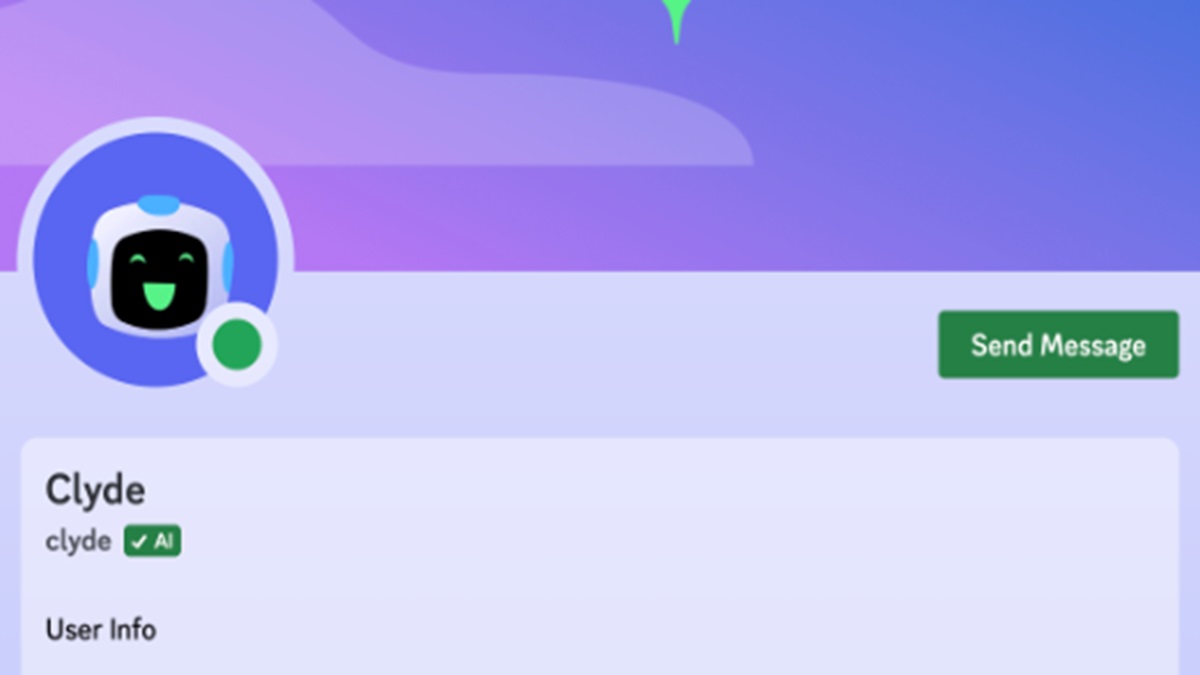
Discord Pulls the Plug on AI Chatbot Clyde

Discord Pulls the Plug on AI Chatbot Clyde

Discord Shuts Down Clyde, Its Experimental AI Chatbot

Discord announced on Tuesday that it is shutting down its AI chatbot, Clyde, after less than a year of testing. The company said in a support note that Clyde will be "deactivated" at the end of this month, and that by December 1st, "users will no longer be able to invoke Clyde in DMs, Group DMs or server chats."

Clyde was first introduced back in March as an experimental feature. It was powered by OpenAI technology and was designed to be a helpful assistant that could answer questions, provide information, and even engage in conversations with users. However, it seems that Clyde didn't quite live up to expectations. In a blog post announcing the shutdown, Discord said that Clyde had "learned enough from its testing period" and that the company decided an AI chatbot was not a "good fit" for its service.

The shutdown of Clyde is a bit surprising, given that Discord seemed to be quite invested in the project. The company had been testing Clyde's AI features for months before it was officially launched, and it even went so far as to create a dedicated support page for the bot. However, it's possible that Discord simply decided that Clyde wasn't worth the resources it was taking up, or that the company is planning to focus on other AI projects.

Whatever the reason, it's clear that Discord is not interested in pursuing an AI chatbot at this time. The company said in its blog post that it is "always exploring new ways to improve Discord," and that it "may revisit the idea of an AI chatbot in the future." However, for now, Clyde is officially dead.


Discord could soon let you stream Xbox gameplay directly to servers & DMs

Discord could soon let you stream Xbox gameplay directly to servers & DMs

Xbox Gamers Will Soon Be Able To Stream Their Gameplay On Discord; Here's How

Discord announced on August 2, 2023 that users will now be able to stream Xbox gameplay directly from their console to the chat app. The new feature will be available via the Xbox Insider beta program right away, with a full release to follow.

To stream Xbox gameplay on Discord, you will need to:

  1. Connect your Discord account to your Xbox account.
  2. Open the Discord app on your Xbox console.
  3. Click on the Activity tab.
  4. Select the game that you want to stream.
  5. Click on the Stream button.
  6. Select the Discord server or DM that you want to stream to.

Once you have started streaming, your friends will be able to see your gameplay in real time. They will also be able to chat with you and interact with your gameplay.


COMING SOON: STREAM YOUR XBOX GAMES DIRECTLY TO DISCORD

The new Discord feature is a great way to share your Xbox gameplay with your friends and family. It is also a great way to collaborate with other players on games that support cross-platform play.

Here are some of the benefits of streaming Xbox gameplay on Discord:

  • You can share your gameplay with your friends and family.
  • You can collaborate with other players on games that support cross-platform play.
  • You can use Discord's chat features to communicate with your viewers.
  • You can build a following of viewers who are interested in your gameplay.

If you are an Xbox gamer, You can try out the new Discord feature. It is a great way to share your gameplay with others and build a community around your gaming.

Discord has been making big moves to connect with more gaming platforms, specifically Xbox. Starting with the Xbox Insider beta program, Discord users can now stream gameplay directly from their console to the chat app. The full release should be available soon.

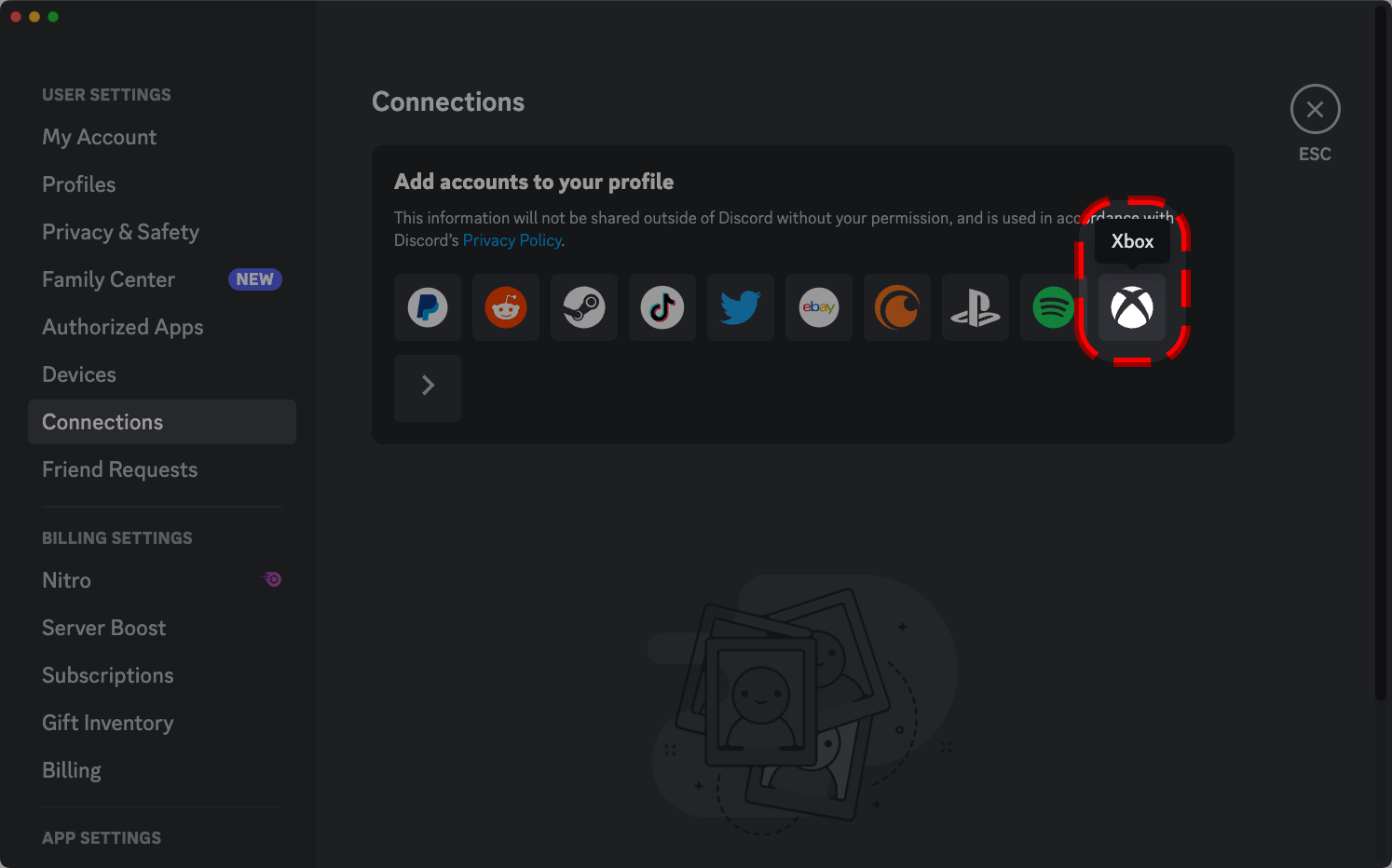
Here's how to connect Discord to Xbox:


Discord could soon let you stream Xbox gameplay directly to servers & DMs

  1. Download the Discord app from the Xbox Store.
  2. Open the Discord app on your Xbox console.
  3. Click on the Profile icon in the bottom right corner of the screen.
  4. Select Connections.
  5. Click on the Add button next to Xbox.
  6. Sign in to your Xbox account.

Once you have connected your Discord account to your Xbox account, you will be able to see your Xbox activity in Discord. You will also be able to stream your Xbox gameplay to Discord servers and DMs.

Here are some things to keep in mind when connecting Discord to Xbox:

  • You must be running the latest version of the Discord app on your Xbox console.
  • You must have an Xbox Insider account to stream gameplay in the beta program.
  • The stream quality will depend on your internet connection.


Discord or Telegram: Which one Should You Choose? - Simple Guide

Discord or Telegram: Which one Should You Choose? - Simple Guide

Why to choose Discord Over Telegram? - Simple Guide


Discord and Telegram are both popular messaging apps, but they have different strengths and weaknesses. Here are some reasons why you might choose Discord over Telegram:

  • Better for gaming. Discord was originally designed for gamers, and it still has a lot of features that make it great for gaming communities. These features include voice chat, screen sharing, and integration with games.
  • More customizable. Discord servers can be customized with different channels, roles, and permissions. This makes it easy to create a server that is tailored to your specific needs.
  • More active community. Discord has a larger and more active community than Telegram. This means that there are more servers to join, and it is easier to find people to talk to.
  • Better bot support. Discord has a large library of bots that can be used to automate tasks, provide information, and entertain users. This makes Discord a more powerful and versatile platform.

Of course, Telegram also has some advantages over Discord. For example, Telegram is more private, as it offers end-to-end encryption for all messages. Telegram is also more lightweight, making it a better choice for devices with limited resources.

Ultimately, the best choice for you will depend on your individual needs and preferences. If you are a gamer or if you want a more customizable and active community, then Discord is a good choice. If you are looking for a more private and lightweight messaging app, then Telegram is a better option.


Table that summarizes the key differences between Discord and Telegram:

Feature Discord Telegram
Originally designed for Gaming General communication
Features Voice chat, screen sharing, integration with games, customizable servers, bot support End-to-end encryption for secret chats, file sharing up to 2GB, bots
Community Large and active Smaller and less active
Privacy Not as private as Telegram More private than Discord
Lightweight No Yes


Most common complaints about Discord:

  • User limits. Discord limits the number of users and channels that can be created on a server. This can be a problem for large communities or organizations that need to accommodate a lot of people.
  • Video chat. The Discord video chat function is fairly basic and doesn't offer the perks or image quality of other, better known video calling apps.
  • Integrations. Discord includes few native integrations. This means that you can't easily connect Discord with other apps or services.
  • Memory space. Discord takes up a fair amount of RAM. This can be a problem for devices with limited resources.
  • Safety in large servers. Discord is a social media site, which means it attracts its fair share of trolls and unethical users. This can be a problem for large servers, where it can be difficult to keep track of everyone who is participating.

Overall, Discord is a great chat app with a lot of features. However, it's important to be aware of its disadvantages before you decide to use it.


Some disadvantages of Discord:

  • The app can be overwhelming for new users. There are a lot of features and options to learn about, and it can be difficult to find your way around at first.
  • The app can be addictive. It's easy to get sucked into Discord, especially if you're part of a lot of active servers. This can lead to problems with productivity and social interaction.
  • The app can be used for cyberbullying. Like any other social media platform, Discord can be used for cyberbullying. This is a serious problem, and it's important to be aware of it if you're using the app.

If you're considering using Discord, it's important to weigh the pros and cons carefully. The app has a lot to offer, but it's also important to be aware of its potential disadvantages.


Most common complaints about Telegram:

  • Lack of moderation. Telegram has a reputation for being a haven for trolls and other unethical users. This is because the app does not have as much moderation as other messaging apps, such as WhatsApp.
  • Privacy concerns. While Telegram offers end-to-end encryption for secret chats, it does not offer the same level of privacy for other types of chats. This means that your messages could be read by Telegram if they were to be compelled to do so by law enforcement.
  • Security concerns. Telegram has been criticized for its security practices. For example, the app has been accused of storing user data on its servers, which could make it vulnerable to attack.
  • Telegram Bots. Telegram bots can be used for a variety of purposes, but they can also be used to spread misinformation or spam. This can be a problem for users who are not careful about which bots they interact with.

Overall, Telegram is a secure and private messaging app with a number of features. However, it is important to be aware of its disadvantages before you decide to use it.


Common disadvantages of Telegram:

  • The app can be difficult to use. The interface is not as user-friendly as some other messaging apps, and it can be difficult to find your way around at first.
  • The app can be slow. Telegram can be slow to load, especially if you are using it on a slow internet connection.
  • The app can be buggy. There have been reports of bugs in Telegram, which can cause problems with sending and receiving messages.

If you are considering using Telegram, it is important to weigh the pros and cons carefully. The app has a lot to offer, but it is also important to be aware of its potential disadvantages.

Know about Discord Timestamps & its Cheatsheet

Know about Discord Timestamps & its Cheatsheet

Know about Discord Timestamps & Cheatsheet

What are Discord timestamps?

Discord timestamps are a way to include a date, time, or countdown in a Discord message. They are based on the Unix timestamp format, which counts the number of seconds since January 1st, 1970. When a timestamp is displayed in Discord, it will be updated in real time to reflect the user's local time zone.

How to create a Discord timestamp

There are two ways to create a Discord timestamp:

  • Manually: You can manually create a timestamp by typing the Unix timestamp followed by the desired format. For example, to create a short date timestamp, you would type <t:1658000000:d>.
  • Using a timestamp generator: There are many online timestamp generators that can help you create timestamps. These generators will usually allow you to choose the format of the timestamp and the time zone.

Different types of Discord timestamps

There are six different types of Discord timestamps:

  • Short time: This format displays the time in 12-hour format, with AM or PM. For example, <t:1658000000:t> would display as 11:00 AM.
  • Long time: This format displays the time in 24-hour format, without AM or PM. For example, <t:1658000000:T> would display as 23:00.
  • Short date: This format displays the date in month/day/year format. For example, <t:1658000000:d> would display as 07/17/2023.
  • Long date: This format displays the date in month day, year format. For example, <t:1658000000:D> would display as July 17, 2023.
  • Short date/time: This format displays the date and time in month/day/year time format. For example, <t:1658000000:f> would display as July 17, 2023 11:00 AM.
  • Long date/time: This format displays the date and time in weekday, month day, year time format. For example, <t:1658000000:F> would display as Wednesday, July 17, 2023 11:00 AM.


Relative timestamps

Discord also supports relative timestamps, which are timestamps that display how much time has passed since a certain event. For example, if you wanted to create a timestamp that would display "in an hour", you would type <t:1658000000:R>.

How to change Discord timestamps

You can't change the format of the timestamps that are displayed in Discord. However, you can change your Discord time zone settings to change the way that timestamps are displayed in your local time zone.


Conclusion

Discord timestamps are a helpful way to include a date, time, or countdown in a Discord message. They are easy to create and can be displayed in a variety of formats. If you need to keep track of time in Discord, timestamps are a great way to do it.


Discord Timestamps Cheatsheet:

Timestamp Type Format Example
Short time t <t:1658000000:t>11:00 AM
Long time T <t:1658000000:T>23:00
Short date d <t:1658000000:d>07/17/2023
Long date D <t:1658000000:D>July 17, 2023
Short date/time f <t:1658000000:f>July 17, 2023 11:00 AM
Long date/time F <t:1658000000:F>Wednesday, July 17, 2023 11:00 AM
Relative timestamp R <t:1658000000:R>in an hour

Where to use Discord timestamps:

  • In Discord messages
  • In Discord bots
  • In Discord settings

How to change Discord timestamps:

  • You can't change the format of the timestamps that are displayed in Discord.
  • You can change your Discord time zone settings to change the way that timestamps are displayed in your local time zone.
Beyond Discord: The Best Alternative Platforms for Gamers and Teams

Beyond Discord: The Best Alternative Platforms for Gamers and Teams

Beyond Discord: The Best Alternative Platforms for Gamers and Teams

Are you looking for alternatives to Discord? Look no further! In this article, we will explore the top best alternatives to Discord. From Guilded to Element, there are plenty of options available for group chat and video calling. So, whether you’re a gamer or just looking for a new communication app, read on to discover the best alternatives to Discord on the Internet.

  • Guilded

Guilded is a VoIP, instant messaging, and digital distribution platform designed by Guilded Inc. and owned by Roblox Corporation. It is based in San Francisco and is a direct competitor to Discord.

Guilded primarily focuses on video game communities, such as those focused on competitive gaming and esports. It provides features intended for video gaming clans, such as scheduling tools and integrated calendars.

Users communicate with voice calls, video calls, text messaging, media, and files in private chats or as part of communities called "Guilds". The app has a similar user interface to Discord but offers more features such as 10 channel types.

Guilded is a direct competitor to Discord and is considered an alternative to the platform. Guilded primarily focuses on video game communities, such as those focused on competitive gaming and esports. It provides features intended for video gaming clans, such as scheduling tools and integrated calendars. The app has a similar user interface to Discord but offers more features such as 10 channel types.

  • Revolt Chat

Revolt is an open-source user-first chat platform designed by Revolt Inc. It is based in Europe and is considered an alternative to Discord.

Revolt lets you create a private space for you and your friends to chat, without any of the distractions of other chat apps. You can customize your server however you want, and even invite any other friends to join you. It is built even for the most dedicated communities.

Revolt focuses only on the user, and you can be sure that your conversations are confidential and your data is secure. It offers end-to-end data encryption to all of its users.

Revolt is an open-source user-first chat platform that is considered an alternative to Discord. It lets you create a private space for you and your friends to chat, without any of the distractions of other chat apps. You can customize your server however you want, and even invite any other friends to join you. It is built even for the most dedicated communities and focuses only on the user, ensuring that your conversations are confidential and your data is secure. 

  • FaceBook Groups

A Facebook Group is a page that any Facebook user can create that others can join, allowing group members to interact based on a common interest, affiliation, or association. It is a place for group communication, letting people share their common interests and express their opinions. Groups let people come together around a common cause, issue, or activity to organize, express objectives, discuss issues, post photos, and share related content.

Facebook groups may be open to anyone or joined by invitation only. A Facebook group allows members to create a community by promoting, sharing, and discussing common topics.

While Facebook Group and Discord both allow for group communication and the sharing of common interests, they serve different purposes and have different features. Facebook Group is a page that any Facebook user can create that others can join, allowing group members to interact based on a common interest, affiliation, or association. It is a place for group communication, letting people share their common interests and express their opinions. Groups let people come together around a common cause, issue, or activity to organize, express objectives, discuss issues, post photos, and share related content.

On the other hand, Discord is primarily focused on video game communities and provides features intended for video gaming clans, such as scheduling tools and integrated calendars. Discord also offers voice and video calls, screen sharing, and other features that are not available on Facebook Group.

In summary, while Facebook Group can be used as an alternative to Discord for group communication and sharing of common interests, it does not offer the same features and functionality as Discord. 

  • Twitter Communities

Twitter Communities are private channels where users can connect and engage with others who share their interests. Tweets in Communities are visible to anyone, but only members can participate in the discussion. Communities are started and managed by people on Twitter, who set the rules and moderate the conversations. Communities can be invite-only or open for anyone to join. Twitter Communities is a pilot program that is currently in beta.

Communities were created to give people a dedicated place to connect, share, and get closer to the discussions they care about most. With Communities, you can be your authentic self and have deeper, more meaningful conversations with people who get you.

While Twitter Communities and Discord both allow for group communication and the sharing of common interests, they serve different purposes and have different features. Twitter Communities are private channels where users can connect and engage with others who share their interests. Tweets in Communities are visible to anyone, but only members can participate in the discussion. Communities are started and managed by people on Twitter, who set the rules and moderate the conversations.

On the other hand, Discord is primarily focused on video game communities and provides features intended for video gaming clans, such as scheduling tools and integrated calendars. Discord also offers voice and video calls, screen sharing, and other features that are not available on Twitter Communities.

In summary, while Twitter Communities can be used as an alternative to Discord for group communication and sharing of common interests, it does not offer the same features and functionality as Discord. 

  • Slack

Slack is a messaging app for business that connects people to the information they need. By bringing people together to work as one unified team, Slack transforms the way organizations communicate. Slack helps you work in a more connected, flexible, and inclusive way.

Slack is designed for professional and organizational communications but has also been adopted as a community platform. It empowers everyone with no-code automation and AI, makes search and knowledge sharing seamless, and keeps teams connected and engaged.

At the heart of Slack are channels: organized spaces for everyone and everything you need for work. In channels, it’s easier to connect across departments, offices, time zones, and even other companies.

Slack is considered an alternative to Discord. While both platforms allow for group communication and the sharing of common interests, they serve different purposes and have different features. Slack is a messaging app for business that connects people to the information they need. By bringing people together to work as one unified team, Slack transforms the way organizations communicate. Slack helps you work in a more connected, flexible, and inclusive way.

On the other hand, Discord is primarily focused on video game communities and provides features intended for video gaming clans, such as scheduling tools and integrated calendars. Discord also offers voice and video calls, screen sharing, and other features that are not available on Slack.

In summary, while Slack can be used as an alternative to Discord for group communication and sharing of common interests, it does not offer the same features and functionality as Discord. 

  • Tox

Tox is a peer-to-peer instant-messaging and video-calling protocol that offers end-to-end encryption. The stated goal of the project is to provide secure yet easily accessible communication for everyone.

Tox is easy-to-use software that connects you with friends and family without anyone else listening in. While other big-name services require you to pay for features, Tox is completely free and comes without advertising — forever.

Tox is considered an alternative to Discord. While both platforms allow for group communication and the sharing of common interests, they serve different purposes and have different features. Tox is a peer-to-peer instant-messaging and video-calling protocol that offers end-to-end encryption. The stated goal of the project is to provide secure yet easily accessible communication for everyone.

On the other hand, Discord is primarily focused on video game communities and provides features intended for video gaming clans, such as scheduling tools and integrated calendars. Discord also offers voice and video calls, screen sharing, and other features that are not available on Tox.

In summary, while Tox can be used as an alternative to Discord for group communication and sharing of common interests, it does not offer the same features and functionality as Discord. 

  • Mattermost

Mattermost is an open-source, self-hostable online chat service with file sharing, search, and integrations. It is designed as an internal chat for organizations and companies and mostly markets itself as an open-source alternative to Slack and Microsoft Teams.

Mattermost provides extreme flexibility. You can run your own server installation on Windows, Mac, or Linux. Users can access the app securely through a desktop or mobile app, although it also runs in a browser window.

Mattermost is considered an alternative to Discord. While both platforms allow for group communication and the sharing of common interests, they serve different purposes and have different features. Mattermost is an open-source, self-hostable online chat service with file sharing, search, and integrations. It is designed as an internal chat for organizations and companies and mostly markets itself as an open-source alternative to Slack and Microsoft Teams.

On the other hand, Discord is primarily focused on video game communities and provides features intended for video gaming clans, such as scheduling tools and integrated calendars. Discord also offers voice and video calls, screen sharing, and other features that are not available on Mattermost.

In summary, while Mattermost can be used as an alternative to Discord for group communication and sharing of common interests, it does not offer the same features and functionality as Discord. 

  • RipCord

Ripcord is a desktop chat client for group-centric services like Slack and Discord. It provides a traditional compact desktop interface designed for power users. It's not built on top of web browser technology: it has a small resource footprint, responds quickly to input, and gets out of your way. 

Ripcord is an alternative desktop chat client for Discord. It provides a traditional compact desktop interface designed for power users. 

  • Threads

Threads is a Slack replacement designed for makers. It provides a simple, focused canvas for sharing your work and getting rich feedback in return. Threads is an all-in-one communication platform designed to avoid constant interruptions, the pain of keeping up/catching up, and encourage motion over progress as your company scales.

Threads is not a direct alternative to Discord. It is designed as a replacement for Slack, which is a team communication and collaboration platform. Discord, on the other hand, is primarily a voice, video, and text communication platform for gamers. However, both Slack and Discord can be used for similar purposes such as team communication and collaboration.

2 Ways to Hide Link under your message on Discord: Complete Guide

2 Ways to Hide Link under your message on Discord: Complete Guide

2 Ways to Hide Link under your message on Discord: Complete Guide

Markdown Method:
Discord is a popular platform for communication among gamers, communities, and teams. One useful feature of Discord is the ability to hide links under your messages, making them more visually appealing and organized. In this article, we will guide you through the process of hiding a link under your message on Discord using Markdown formatting.

  • Step 1: Understand Markdown Formatting
Markdown is a lightweight markup language that allows you to format text in a simple and readable way. Discord supports Markdown, making it easy to hide links under your messages.
  • Step 2: Format the Text
To hide a link under your message, you need to use a specific format. Start by surrounding the text you want to display with square brackets `[ ]`. This will be the visible text that users see. 
  • Step 3: Add the Link
After the closing square bracket, immediately put the URL you want to link to in parentheses `( )`. This will be the destination of the link.
  • Step 4: Combine the Text and Link
Now, combine the formatted text and the link. Place the visible text inside the square brackets and the URL inside the parentheses. For example, if you want to hide a link to a website called "Example" with the URL "https://www.example.com", you would use the following format:

`[Example](https://www.example.com)`

  • Step 5: Send the Message
Once you have formatted the text and added the link, send the message on Discord. The text you specified will be displayed, and clicking on it will open the specified URL.

Conclusion:
Hiding a link under your message on Discord using Markdown formatting is a simple and effective way to make your messages more organized and visually appealing. By following the steps outlined in this article, you can easily hide links and provide a seamless user experience for your Discord community.


Simple Text Method:
After having a look on the Markdown method, we will now head over to Simple Text Method, this exits because the Markdown method can only be used in Embeds of Discord. However, you can use this method in normal chat as well. 

  • Step 1: Format the Text
To hide a link under your message, you need to use a specific format as show in the below image:
2 Ways to Hide Link under your message on Discord: Complete Guide

[Your message] ||​||||​||||​||||​||||​||||​||||​||||​||||​||||​||||​||||​||||​||||​||||​||||​||||​||||​||||​||||​||||​||||​||||​||||​||||​||||​||||​||||​||||​||||​||||​||||​||||​||||​||||​||||​||||​||||​||||​||||​||||​||||​||||​||||​||||​||||​||||​||||​||||​||||​||||​||||​||||​||||​||||​||||​||||​||||​||||​||||​||||​||||​||||​||||​||||​||||​||||​||||​||||​||||​||||​||||​||||​||||​||||​||||​||||​||||​||||​||||​||||​||||​||||​||||​||||​||||​||||​||||​||||​||||​||||​||||​||||​||||​||||​||||​||||​||||​||||​||||​||||​||||​||||​||||​||||​||||​||||​||||​||||​||||​||||​||||​||||​||||​||||​||||​||||​||||​||||​||||​||||​||||​||||​||||​||||​||||​||||​||||​||||​||||​||||​||||​||||​||||​||||​||||​||||​||||​||||​||||​||||​||||​||||​||||​||||​||||​||||​||||​||||​||||​||||​||||​||||​||||​||||​||||​||||​||||​||||​||||​||||​||||​||||​||||​||||​||||​||||​||||​||||​||||​||||​||||​||||​||||​||||​||||​||||​||||​||||​||||​||||​||||​||||​||||​||||​||||​||||​||||​||||​||||​||||​||||​||||​||||​||||​||||​||||​||||​||||​||||​||||​||||​||||​||||​||||​||||​||||​||||​||||​||||​||||​||||​||||​||||​||||​||||​||||​||||​||||​||||​||||​||||​||||​||||​||||​||||​||||​||||​||||​||||​||||​||||​||||​||||​||||​||||​||||​||||​||||​||||​||||​||||​||||​||||​||||​||||​||||​||||​||||​||||​|| [Your Link]

Write Your message / text in place of "[Your message]" and replace the "[Your Link]" with your owner link, you can see the DEMO image below. 

Preview:
2 Ways to Hide Link under your message on Discord: Complete Guide

  • For example, 
2 Ways to Hide Link under your message on Discord: Complete Guide

will look like:

2 Ways to Hide Link under your message on Discord: Complete Guide